See Our Latest Article on HelloNation
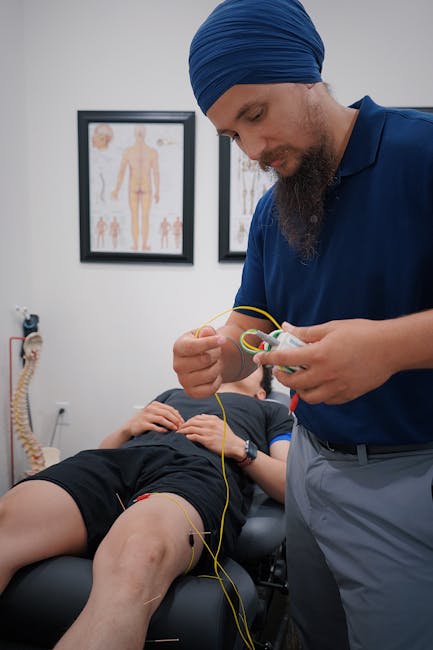
Working in Dunkirk, New York often means spending long hours at a desk, whether you’re on the harbor, at a college, or in one of our local businesses. While our small town charm encourages walking breaks along Lake Erie and biking to work in spring and summer, the reality is that many Dunkirk residents spend most of their day seated. Poor workspace ergonomics can lead to back pain, headaches, and ongoing spinal issues—problems that are common concerns I see in my chiropractic practice.
If you’re looking to make your office or home workspace more supportive for your spine, here are practical tips tailored for Dunkirk’s community and climate.
The Importance of a Spine-Friendly Workspace
Spending hours at a desk, especially during those long Lake Effect winters, can stress your neck, shoulders, and lower back. The human body is designed for movement, not for static postures. When our workspaces are set up poorly, we tend to slouch, crane our necks, and develop unhealthy habits that lead to chronic discomfort or even injury.
A spine-friendly workspace supports your body’s natural curves, encourages healthy posture, and allows you to move easily throughout your workday. Here’s how you can achieve this—even on a budget!
Start With Your Chair
Your chair is the foundation of your workspace ergonomic setup.
- Lumbar Support: Your lower back needs support. If your office chair is missing this, add a small cushion or rolled-up towel at your lower back. In Dunkirk, local stores often carry simple back support pillows, or you can DIY one at home.
- Adjust the Height: Your feet should rest flat on the floor (or on a footrest). Your knees should be about level with your hips. Don’t let your legs dangle—this cuts off circulation.
- Armrests and Recline: Adjust armrests so your shoulders can relax. Use the chair’s recline function to take pressure off your spine, but remain upright enough to stay engaged with your work.
- Winter Layers: In colder weather common in Dunkirk, avoid sitting on bulky coats as they can throw off your posture and reduce lumbar support.
Position Your Desk and Monitor
Optimal screen setup can prevent “tech neck” and eye strain during long winter days indoors.
- Monitor Height: The top of your monitor should be at—or just below—eye level. Books, monitor risers, or even sturdy containers can raise your screen to the correct height.
- Distance: Position your screen about an arm’s length away. This reduces eye strain and keeps you from leaning forward.
- Desk Height: When your arms are at your sides, your elbows should form a 90-degree angle when typing. Adjust your chair or use a keyboard tray if necessary.
Ergonomic Keyboard and Mouse Placement
Reaching too far or typing at awkward angles contributes to tension in the shoulders and wrists.
- Within Reach: Keep your keyboard and mouse close enough that your elbows can remain by your sides.
- Alignment: Your wrists should be straight—not bent up or down—while typing or using your mouse. Consider a wrist rest, especially in winter when cold temperatures in old Dunkirk buildings might make stiffness worse.
Take Advantage of Local Resources for Movement
Dunkirk’s lakeside paths, parks, and quieter streets are perfect for movement breaks—even if it’s just a short walk at lunchtime.
- Stand Up Regularly: Set a timer or use free apps to remind yourself to stand, stretch, or walk every 30-60 minutes.
- Local Stretching Classes or Yoga: Check with the Dunkirk Senior Center or local gyms for classes that encourage healthy movement.
- In-Door Movement: When lake-effect snowstorms hit, simple stretches at your desk or light exercises—such as shoulder rolls, toe touches, or gentle spinal twists—can keep you comfortable and mobile.
Lighting and Its Hidden Impact
Shorter winter days in Dunkirk mean many residents spend work hours under artificial lights. Poor lighting can cause you to lean closer to your screen, straining your neck.
- Maximize Daylight: Arrange your workspace near a window if possible.
- Use Proper Desk Lamps: Invest in a bright, adjustable desk lamp to reduce eye strain and promote better posture.
- Reduce Glare: Adjust screen brightness or use anti-glare screen protectors to prevent the need to squint or crane your neck.
Personalize Your Setup for Comfort
What works in an office above Central Avenue or at a home with a view of Point Gratiot may differ, but comfort and movement should always be a priority.
- Keep Essentials Close: Store frequently used items within easy reach to minimize twisting and straining.
- Hydration and Healthy Snacks: A reusable water bottle reminds you to stay hydrated, which helps your muscles and joints—especially during dry, heated winters.
Make Ergonomics Part of Your Routine
Changing up your workspace habits won’t happen overnight. Start with one small adjustment, such as adding lumbar support, then gradually optimize your chair, desk, and daily movement. For Dunkirk residents, pairing these workspace changes with local wellness resources—like walking breaks along the waterfront or visiting a trusted chiropractor—can help you stay comfortable and productive all year round.
When to Seek Professional Advice
If you still notice ongoing back, neck, or shoulder pain even after making these adjustments, consult a local chiropractor. Not only can you get personalized ergonomic advice, but a spinal assessment ensures you’re supporting your long-term wellness, regardless of where you work in Dunkirk.
Conclusion
Creating a spine-friendly workspace is achievable, practical, and doesn’t always require expensive equipment. By making a few strategic changes, mindful of Dunkirk’s climate and culture, you’ll help your body stay healthy and pain-free at your desk. Don’t underestimate the benefits a supportive workspace brings to your productivity, happiness, and spinal health in our close-knit New York community.